
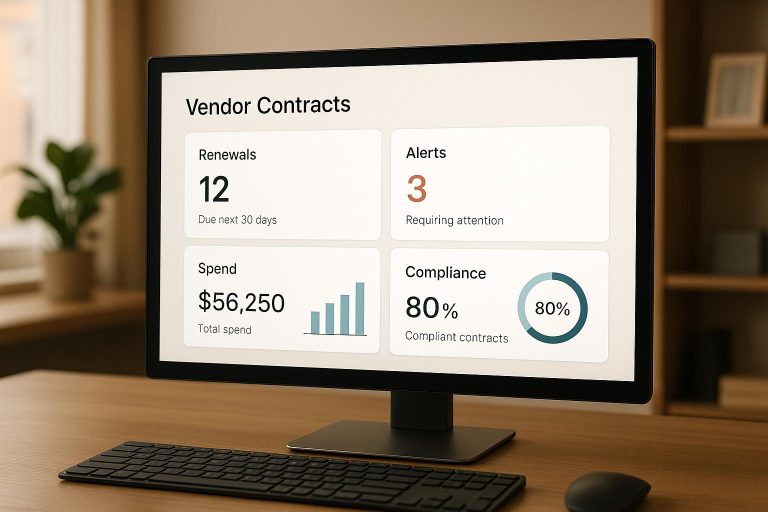
Managing vendor contracts can be a headache if they’re scattered across emails, shared drives, and filing cabinets. Missed deadlines, auto-renewals with price hikes, and overlooked obligations lead to costly mistakes. The solution? A centralized dashboard that consolidates all contracts into one place. Here’s what it offers:
- Real-time insights: Track contract status, deadlines, and spending patterns.
- Automation: Receive alerts for renewals, compliance deadlines, and payment schedules.
- Cost control: Identify unused services, negotiate better deals, and avoid financial penalties.
- Customization: Tailor views for finance, legal, and procurement teams.
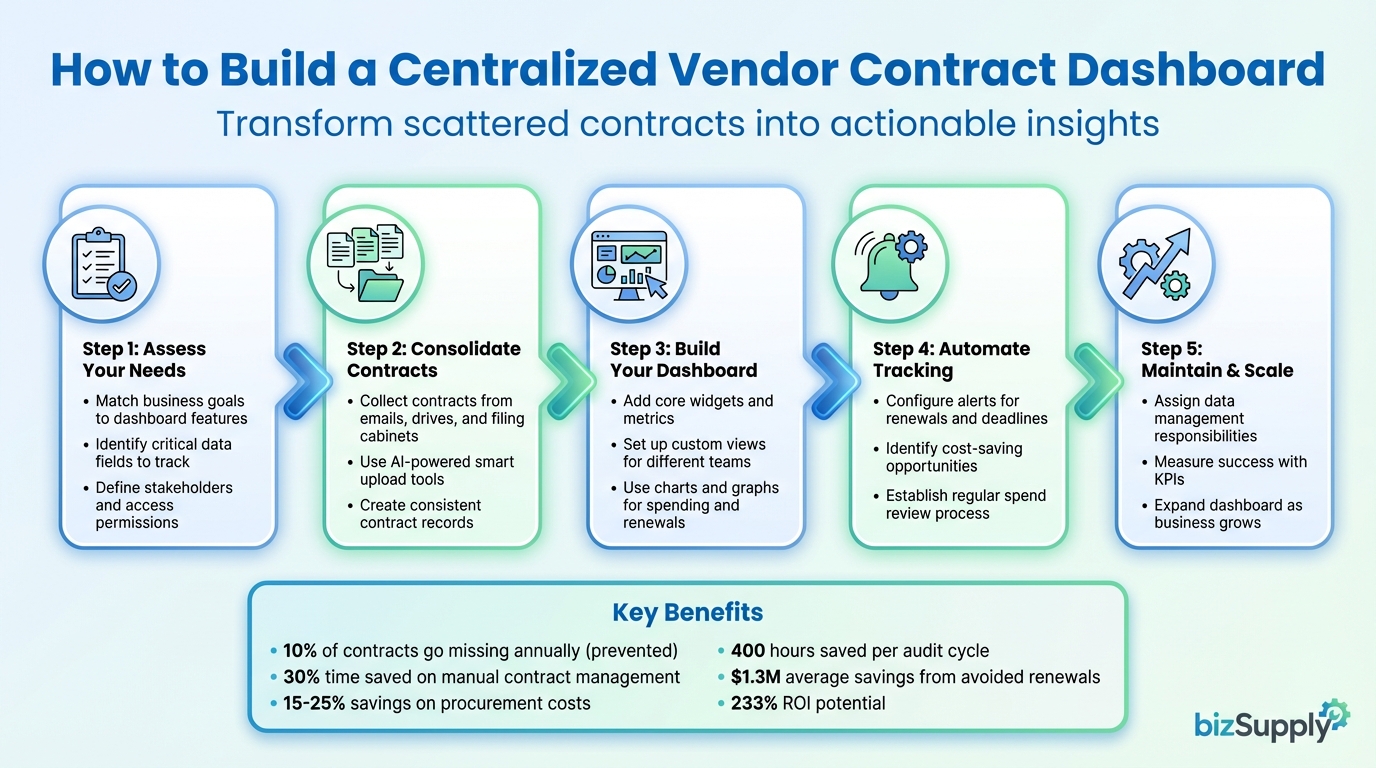
5-Step Process to Build a Centralized Vendor Contract Dashboard
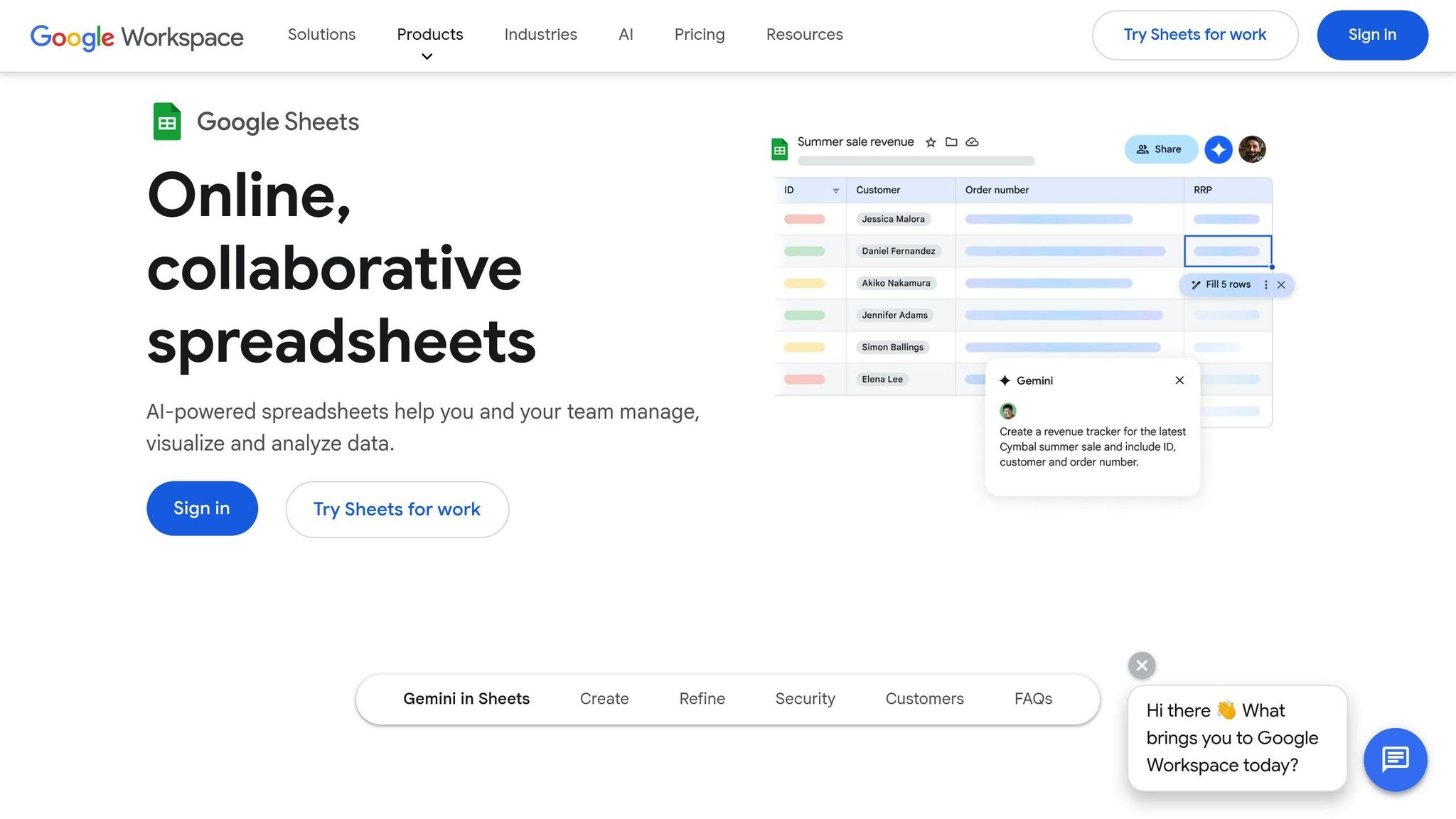
Contract Management Dashboard in Google Sheets
Determining What Your Vendor Contract Dashboard Needs
Before diving into building your dashboard, it’s important to figure out what features and tools will best support your business goals. Whether you’re aiming to cut costs, stay on top of compliance, or manage an expanding vendor network, your dashboard should align with these priorities.
Matching Business Goals to Dashboard Features
To get the most out of your dashboard, align its features with your specific objectives. For example, if cutting costs is a top priority, include tools that track spending trends and flag upcoming renewals. If compliance is your focus, look for automated alerts for regulatory deadlines, audit trails that log every contract update, and version control to timestamp changes.
Your dashboard should also allow customization, so you can focus on the metrics that matter most to your team. If quick decision-making is essential, prioritize tools offering real-time contract updates and AI-driven insights that highlight risks and opportunities. For businesses experiencing rapid growth, ensure the dashboard integrates smoothly with systems like ERP, CRM, and business intelligence tools.
Once your goals are clear, identify the data needed to support these functions.
Critical Data Fields to Track for Each Vendor Contract
Each vendor contract in your dashboard should include key details that help manage relationships and spending. At a minimum, track the vendor’s name, contract start and end dates, total value in USD, payment schedules, renewal dates, and current status (active, expiring, or terminated). Also, record the vendor’s contact information and the internal team member responsible for the contract.
To stay proactive, log additional details like auto-renewal clauses, termination notice periods, and service level agreements (SLAs). These fields ensure you’re aware of deadlines and obligations. Capture payment terms, pricing structures, and negotiated discounts to uncover potential savings. For compliance, track insurance requirements, certifications, and any regulatory obligations tied to the agreement.
Next, think about who will use the dashboard and tailor access accordingly.
Defining Stakeholders and Access Permissions
Different teams will need access to different parts of your contract data. For example, finance teams might focus on budget tracking and payment schedules. IT departments often monitor software licenses and security compliance. Procurement teams handle vendor performance and negotiations, while legal teams review contract terms and manage risk. Each group should only see the information relevant to their role.
Centralizing contract data makes oversight easier while ensuring secure, role-specific access. Use role-based access control (RBAC) to assign permissions based on each user’s responsibilities, limiting access to essential data. For instance, vendors uploading compliance documents through a portal shouldn’t be able to view financial details. To protect sensitive information, implement security measures like multi-factor authentication (MFA), single sign-on (SSO), and encryption. Choose systems with SOC 2 Type II certification and audit trails that record every action taken on contracts for added transparency and accountability.
Gathering Contracts into One Central Location
Bringing all your contracts into a single, organized repository can simplify how you manage vendor agreements. This involves tracking down contracts scattered across various storage locations and consolidating them into one unified system. By doing this, you’ll create a reliable "single source of truth" for all vendor-related documents. To make the process smoother, consider using smart upload tools to handle the heavy lifting.
Collecting and Importing Your Existing Contracts
The first step is to figure out where your contracts are currently stored. Check shared network drives, email folders (especially those used by procurement and finance teams), cloud storage platforms, and even physical filing cabinets. Ask key departments – like procurement, finance, legal, and IT – to locate and submit their vendor contracts.
Once you’ve gathered the documents, use AI-powered smart upload tools to digitize and import them quickly. These tools can automatically pull essential details – like vendor names, contract dates, payment terms, and renewal schedules – directly from the documents. This not only speeds up the process but also minimizes errors that can happen with manual data entry.
Creating Consistent Contract Records
After importing your contracts, the next step is to ensure consistency across all records. Standardization is crucial for keeping your repository reliable and easy to navigate. Use uniform templates and forms to capture key contract details in the same way every time. Decide on mandatory fields – such as vendor name, contract value (in USD), start and end dates, and payment schedules – and optional ones to maintain clarity and order.
Modern systems can identify over 30 key fields in a contract automatically. However, it’s a good idea to review and verify the extracted information before finalizing each record. You can also create customizable templates for frequently used agreement types, like NDAs, master service agreements, and purchase orders. These templates make it easier to draft new contracts while ensuring consistency across all vendor relationships.
Protecting Contract Data and Meeting Compliance Requirements
Securing your contract data is just as important as organizing it. Use version control and audit trails to monitor every change made to contract records. This feature lets you see who accessed or modified information and when they did it, promoting transparency and accountability.
To safeguard sensitive information, enable encryption for both stored data and data in transit. Automated checks can also help flag potential regulatory issues early. A centralized dashboard should provide real-time insights into compliance metrics, risk levels, and any non-compliance incidents. These tools are especially helpful for industries that require strict vendor oversight. By implementing these measures, you can protect your business while staying on top of regulatory requirements.
Building a Vendor Contract Dashboard That Works
Centralizing your contracts opens the door to creating a dashboard that delivers real-time insights, keeps track of spending, and monitors obligations. A thoughtfully designed dashboard gives you a clear view of contract performance, spending trends, and upcoming deadlines. Essentially, it connects the dots between centralized data and effective vendor management.
Core Dashboard Widgets and Metrics to Include
At the heart of your dashboard are the key metrics that keep everything running smoothly. Think of metrics like upcoming renewals, total spend (in USD), contract status, and payment schedules. Tracking the contract lifecycle – whether agreements are active, nearing expiration, or up for renegotiation – provides a clear snapshot of your vendor portfolio.
Other must-have features include widgets for compliance status and summaries of contract values. These should update automatically, cutting down on manual work. Plus, the dashboard can flag potential risks, such as contracts about to expire without renewal plans or vendors with compliance red flags. Customizing these features to match your business goals ensures you’re focusing on what matters most.
Setting Up Custom Views for Different Teams
Different teams need different information, and your dashboard should reflect that. For instance, a CFO might need an overview showing total contract value, financial impact, and risk exposure. Meanwhile, a procurement manager might require a detailed view focused on vendor performance and compliance. Implementing role-based access control (RBAC) ensures that everyone sees only the data relevant to their role.
You can also create department-specific views: executive dashboards for strategic insights, operational dashboards for day-to-day management, and compliance dashboards for regulatory tracking and audits. Adding filters – like sorting contracts by type, department, or stage – makes it even easier for teams to find exactly what they need.
Using Charts and Graphs to Track Spending and Renewals
Visual tools like charts and graphs make complex data easier to understand at a glance. Use pie charts to break down spending by category, line graphs to show spending trends over time, and bar graphs to compare contract values or renewal schedules. For example, if you notice a sudden spike in spending within a particular vendor category, it might be a good time to renegotiate rates or consolidate suppliers. Similarly, timeline graphs displaying upcoming renewals help you stay ahead of deadlines, eliminating the stress of last-minute planning. By making these insights visual and actionable, your dashboard becomes an even more powerful tool.
sbb-itb-291cea0
Automating Contract Tracking and Spend Management
Once your dashboard is up and running, automation takes over the heavy lifting of tracking renewal dates and managing spending. This reduces the chances of errors, prevents overspending, and frees up your team to focus on more strategic decisions. Beyond simplifying management, automation also highlights opportunities to cut vendor expenses.
Configuring Alerts and Notifications
Set up alerts for key events like renewal dates, notice periods, payment schedules, compliance deadlines, and performance reviews, ensuring each notification goes to the right team. For instance, if a contract requires a 90-day notice for renewal, the system will send an alert well in advance, giving you enough time to decide whether to renew, renegotiate, or terminate. Procurement teams might need reminders about upcoming renewals, while finance teams benefit from payment notifications. With real-time updates on contract statuses, you can tackle potential issues early instead of scrambling at the last minute.
Identifying Ways to Lower Vendor Costs
Automation doesn’t just track contracts – it actively pinpoints cost-saving opportunities. For example, bizSupply can flag unused subscriptions, duplicate services, or overpriced contracts. If your company is paying for software licenses that haven’t been used in months, the system will highlight that waste so you can cancel unnecessary subscriptions. It also benchmarks current rates against market standards, helping you spot overpriced contracts and negotiate better deals. Companies that have adopted vendor management automation report savings of 15–25% on procurement costs. Even small savings can add up over time. Early payment discounts, for example, might only be 1–2%, but as James Hardy, CFO of SAM Construction Group, explained:
"More vendors are allowing for discounts now, because they’re seeing the quick payment. That started with Ramp – getting everyone paid on time. We’ll get a 1–2% discount for paying early. That doesn’t sound like a lot, but when you’re dealing with hundreds of millions of dollars, it does add up."
These cost-saving tools are seamlessly integrated into the dashboard’s analytics, making it easy to spot and act on opportunities.
Establishing a Regular Spend Review Process
Building on automated cost tracking, implementing a consistent spend review process can further optimize your vendor contracts. Use automation to schedule monthly or quarterly reviews to evaluate spending, contract performance, and compliance. Automated reports can highlight contracts that are candidates for renegotiation, consolidation, or cancellation. For example, if two departments are using similar services from different vendors, consolidating those contracts could unlock significant volume discounts. By analyzing metrics like total contract value, actual spending versus forecasts, and vendor performance, you can make informed decisions about which vendors to retain, drop, or negotiate with. The aim is to shift spend reviews from being a reactive task into a proactive strategy for strengthening vendor relationships and keeping costs under control.
Keeping Your Vendor Contract Dashboard Current and Scalable
A dashboard is only as good as the accuracy of the data it holds and its ability to grow with your business. As you onboard more vendors, manage additional contracts, and expand your business units, keeping the information up-to-date becomes essential. Without proper oversight and regular updates, even the best dashboards can turn from a solution into a source of confusion.
Assigning Responsibility for Data Management
To ensure your dashboard remains accurate, assign specific team members to handle data entry and updates. For example, procurement managers can oversee vendor onboarding, finance teams can track payment schedules, and legal staff can monitor compliance details. Assigning clear responsibilities – like procurement managing renewal terms or finance updating payment information – helps streamline the process and ensures your dashboard remains a reliable source of truth.
Using centralized repositories with audit trails can further enhance transparency. These systems log every update, showing who made changes and when, which reduces the risk of conflicting data across departments. Regular reviews – whether monthly or quarterly – can catch errors early and maintain consistency in data standards.
Once data ownership is clear, you can focus on assessing your dashboard’s effectiveness using measurable metrics.
Measuring Success with Key Performance Indicators
Key performance indicators (KPIs) offer a clear picture of how well your dashboard is working. Metrics like cost savings, renewal adherence, audit hours, and compliance rates are especially useful. For instance, some companies using vendor management systems have saved up to 400 hours per audit cycle, while others have avoided unnecessary renewals, saving an average of $1.3 million.
You can also track contract cycle times to see if approvals are speeding up and monitor vendor compliance rates to ensure you’re meeting regulations without delays. Other valuable KPIs include SLA adherence, average contract completion time, and real-time spending visibility. Together, these metrics reveal whether your dashboard is effectively cutting costs, improving efficiency, and reducing risk – or if tweaks are needed.
With success metrics in place, it’s time to think about scaling your dashboard to match your business’s growth.
Expanding the Dashboard as Your Business Grows
As your vendor list grows, your dashboard should evolve to handle the increased complexity without requiring a larger team. Building on the foundation of your centralized system, consider integrating advanced tools to manage new vendors and business units. For example, connecting your dashboard with CLM, ERP, and CRM systems ensures data flows seamlessly across platforms.
You can also create customizable views tailored to different teams. Executives might need high-level spending summaries, while operations teams benefit from detailed vendor performance metrics. By refining filters and views for new vendor categories, you maintain control and visibility even as contract volumes rise. This ensures your dashboard remains a powerful tool for managing growth.
Conclusion
A centralized dashboard transforms the way you manage vendor contracts and control spending. Instead of wrestling with scattered spreadsheets, endless email threads, and isolated records, you gain real-time insights into every contract’s status, upcoming deadlines, and performance metrics. This streamlined approach not only brings order to chaos but also addresses common issues, like the 10% of contracts that go missing each year, while reclaiming the 30% of time professionals typically spend on manual contract management tasks.
The process to get started is straightforward: assess your needs, consolidate contracts, create a customized dashboard, automate alerts and reviews, and assign data ownership. As highlighted earlier, these steps lead to reduced costs and better vendor management. Some companies have even reported achieving up to a 233% ROI through negotiated savings, avoiding penalties, and improving overall efficiency.
bizSupply’s centralized dashboard combines all these advantages into one powerful platform. Its automated tracking ensures you never miss a renewal date, avoiding costly auto-renewals. Price benchmarking identifies opportunities to renegotiate terms, while waste detection uncovers unused subscriptions that might be draining your budget. With strong security measures safeguarding your data and a Chrome extension that delivers vendor insights directly to your inbox, you stay in control without extra effort. This seamless integration promotes smoother day-to-day operations.
Using the dashboard daily simplifies workflows across finance, procurement, and executive teams, making it an essential tool for efficient operations.
Ready to see the difference? Start a 14-day free trial and experience how effortlessly the dashboard integrates with your contracts. While the initial setup takes just a few weeks, the benefits – like time savings, cost reductions, and stronger vendor relationships – continue to grow as your system scales.
FAQs
What key features should I look for in a centralized vendor contract dashboard?
When building a vendor contract dashboard, it’s all about picking tools that make your job easier and more organized. Start with real-time contract tracking so you can always see where things stand. Add customizable views that let different teams or departments focus on what matters most to them. And don’t forget automated alerts – they’re a lifesaver for staying on top of key deadlines.
It’s also smart to choose a dashboard with detailed performance metrics to measure how well your vendors are doing. Plus, having secure, centralized storage ensures that all your contracts and sensitive information are easy to find and well-protected. With these features, you’ll not only save time but also strengthen your vendor relationships and keep everything running smoothly.
How can I keep my contract dashboard secure and compliant?
To keep your contract dashboard safe and compliant, begin by setting up strict access controls to restrict who can view or modify sensitive information. Protect your data with encryption – both while it’s stored and when it’s being transmitted – to guard against unauthorized access. Make it a habit to perform frequent security audits to spot and fix any weaknesses, and ensure your system aligns with major regulations like GDPR and CCPA. It’s also wise to select software that includes strong security tools, such as audit trails, to track activity and promote accountability.
What are the advantages of automating vendor contract tracking and spend management?
Automating how you track vendor contracts and manage spending can make a huge difference in how smoothly things run. It boosts efficiency and cuts down on those pesky manual errors. With real-time insights into contract deadlines, obligations, and performance, you can tackle issues before they snowball and keep workflows moving seamlessly. Plus, automation can trim administrative costs – sometimes by as much as 30% – and speed up contract cycles, giving you more time to focus on what really matters.
On top of that, automation helps you stay on top of compliance by ensuring you never miss critical deadlines or obligations. It also flags risks or bottlenecks early, giving you a chance to address them proactively. By pulling all your contract data and processes into one place, you simplify oversight, make smarter spending decisions, and build stronger relationships with vendors. All of this adds up to less waste and a more efficient operation overall.